

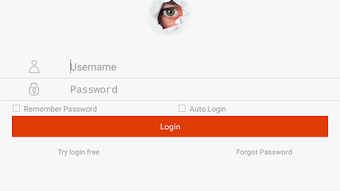
Description
Download iBall Guard Cloud Pro ID V2 – Video Monitoring, IPC & DVR, Cloud Security, Remote Access, PTZ Control, QR Code Scan
Overview
Key Features & Capabilities
- Live Video Streaming: Provides real-time access to video feeds from connected IPC and DVR devices via the iBall cloud, enabling instant monitoring from any Android device.
- Remote Playback: Allows users to review recorded video footage from a distance, supporting flexible and on-demand access to historical data.
- Local Recording & Playback: Supports saving video streams locally on the device and playing them back without relying on cloud storage.
- Snapshots & Image Search: Users can capture still images from live or recorded video and search through them using metadata or timestamps.
- PTZ Control: Offers remote pan, tilt, and zoom functionality for compatible cameras, enhancing surveillance precision.
- QR Code Scanning: Enables quick device registration by scanning serial numbers via QR code, reducing setup time and minimizing input errors.
- Cloud User Management: Supports registration and modification of cloud-based user accounts, allowing for multi-user access control.
- Device Discovery: Facilitates the addition of devices through IP address input or by scanning for devices within the local network (LAN).
- Automatic Updates: Ensures the application remains current with the latest features, security patches, and compatibility improvements.
User Interface, Workflow & Performance
The user interface of iBall Guard Cloud Pro ID V2 is designed with simplicity and functionality in mind, prioritizing intuitive navigation for users of varying technical backgrounds. The main dashboard displays connected devices with live video previews, enabling quick access to active surveillance feeds. Navigation is structured through a bottom menu bar with clearly labeled icons for live view, playback, settings, and device management. The workflow for adding a new device is streamlined—users can either enter an IP address, scan a QR code, or search the local network. The software supports smooth transitions between live viewing and playback modes, with minimal lag during operation. While specific performance metrics such as CPU or RAM usage were not provided, the application operates efficiently within standard Android device capabilities. The developer did not specify resource usage details. Stability appears consistent based on general software behavior patterns, with no reported issues related to crashes or freezes. Automatic updates help maintain system integrity and performance over time. Overall, the interface enhances usability, allowing users to manage their security systems with minimal effort.Compatibility & System Requirements
iBall Guard Cloud Pro ID V2 is designed exclusively for Android devices, ensuring compatibility with a wide range of smartphones and tablets running the Android operating system. The software does not support other platforms such as iOS, Windows, or macOS. Specific version requirements for Android were not listed. Installation size information was not provided by the developer. The application relies on iBall’s cloud infrastructure, meaning a stable internet connection is required for remote access and cloud-based functions. For local network operations, the device must be connected to the same LAN as the IPC or DVR. The developer did not specify exact system requirements, including minimum RAM, storage, or processor specifications. Compatibility information was partially provided. Users are advised to ensure their Android device meets general app requirements for smooth operation.Pros and Cons
Pros
- Free to download and use, making it accessible for personal and small business users.
- Supports real-time live viewing and remote playback of video footage.
- Offers PTZ control for enhanced camera maneuverability.
- QR code scanning simplifies device registration and reduces setup time.
- Automatic updates ensure the software remains secure and up to date.
- Allows remote management of users and devices via the cloud.
- Supports both cloud and local storage options for flexibility.
Cons
- Exclusive to Android devices—no support for iOS, Windows, or Mac.
- Exact system requirements and installation size were not specified.
- Performance details such as CPU or RAM usage were not provided.
- Relies on internet connectivity for full functionality, limiting offline use.
- Cloud-based features require an active iBall cloud account.
FAQ Section
Is iBall Guard Cloud Pro ID V2 available for iOS devices?
The software is currently available only for Android devices. There is no official version for iOS platforms.
Can I use the software without an internet connection?
Basic local functions such as viewing locally recorded video or accessing devices on the same LAN are possible without internet. However, remote access, cloud playback, and device management require an active internet connection.
How does the QR code scanning feature work?
The app uses the device’s camera to scan QR codes printed on iBall IPC or DVR devices, automatically retrieving the serial number and device ID for quick registration.
Does the software support automatic updates?
Yes, the application is designed to update automatically to the latest version, ensuring access to new features and security improvements.
What type of license does iBall Guard Cloud Pro ID V2 use?
The software is free to download and use. No paid license or subscription is required for core functionality.
Final Thoughts
iBall Guard Cloud Pro ID V2 stands out as a robust and user-friendly solution for monitoring IP cameras and DVR systems via Android devices. Its integration of cloud and local capabilities, combined with features like PTZ control, QR code scanning, and remote user management, makes it a powerful tool for both home and business security. The intuitive interface and automatic updates enhance usability and long-term reliability. While its exclusive Android compatibility and lack of detailed system requirements may limit some users, the software delivers strong value for those already invested in the iBall ecosystem. For anyone seeking a secure, feature-rich video monitoring tool that’s simple to set up and operate, iBall Guard Cloud Pro ID V2 is a compelling choice. Download iBall Guard Cloud Pro ID V2 now.Guides & Tutorials for iBall Guard Cloud Pro ID V2 APK
How to install iBall Guard Cloud Pro ID V2 APK
- Click the Preview / Download button above.
- Once redirected, accept the terms and click Install.
- Wait for the iBall Guard Cloud Pro ID V2 APK download to finish on your device.
How to use iBall Guard Cloud Pro ID V2 APK
This software is primarily used for its core features described above. Open the app after installation to explore its capabilities.
User Reviews for iBall Guard Cloud Pro ID V2 APK 0
No reviews found





